This guide has been developed to guide users through the steps of creating a new household. This guide applies to only building the household on the Household Tab; it does not review how to include or exclude household members within entry/exits, services, or other items within the system.
Creating New Households
- Search for and open the Head of Household's record.
- Back Date Prompt: List the date the family entered your project.
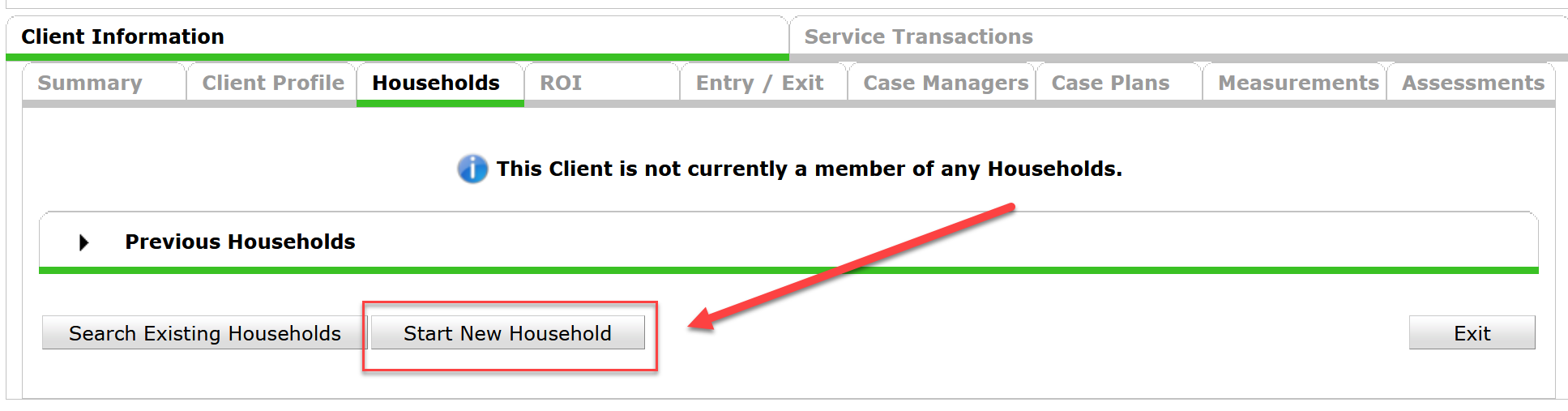
- Click on the Household Tab
- Click on the Start New Household button. The "Add New Household" screen will appear.
-
- If there is already a Household built that is correct and only new additional family members need to be added, please refer to the Managing Households (NEED TO ADD LINK HERE) tip sheet for how to update the Household Tab.
-
- Select the household type from the Household Type dropdown.

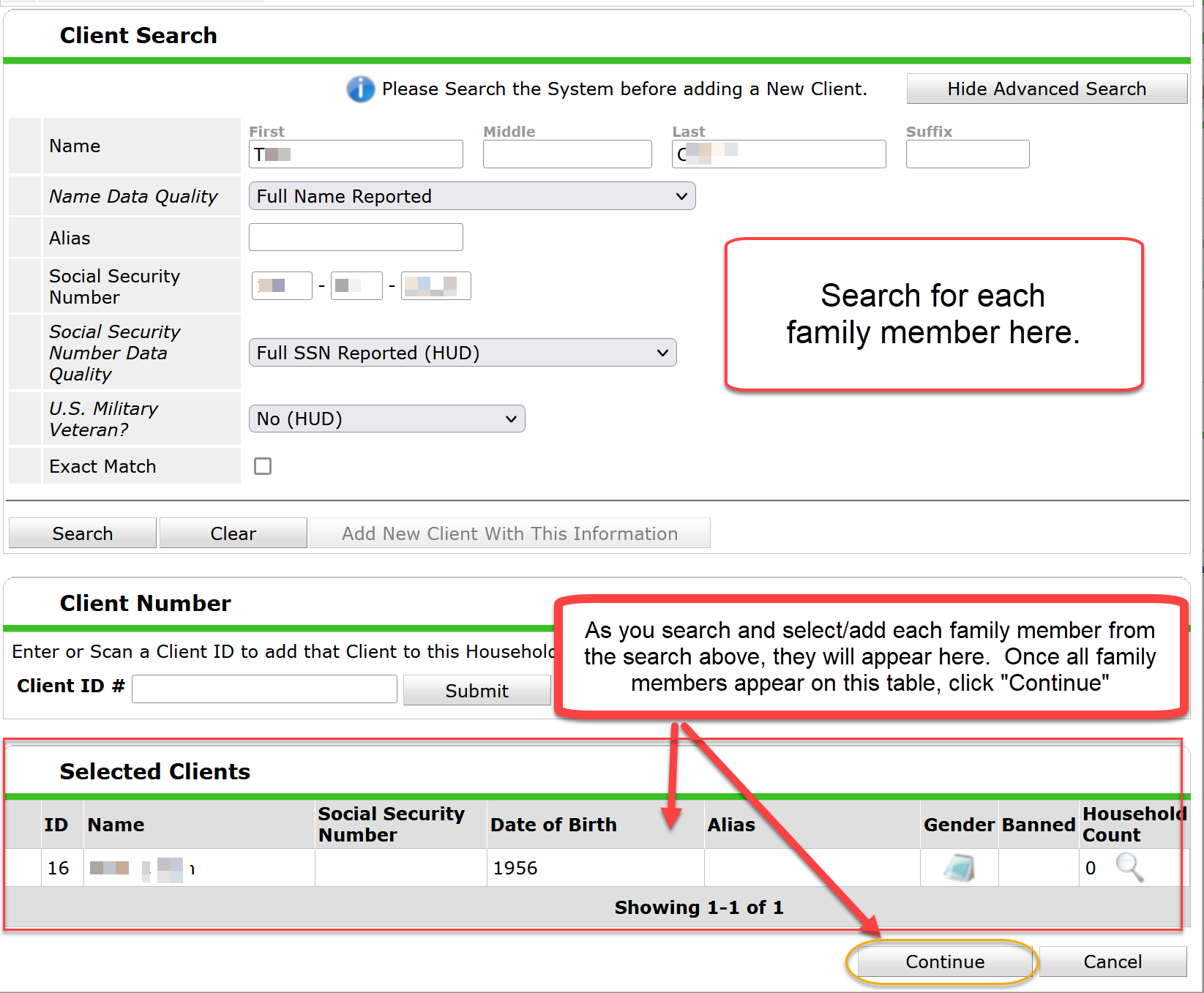
- Use the Client Search section to search for and/or create new clients.
- If a client is already in the system, that client will appear in the Client Results table. You can add the client to this household by clicking the green plus sign. Note: Please ensure that any client existing in the system is the specific person you are looking for by matching the client's SSN and DOB.
- If no client appears in the Client Results table, you will need to create a new client profile by going back up, filling in all of the answers in the Client Search table, and then clicking the Add New Client with New Information button.
- Once a client has been selected, the client will appear in the Selected Clients table. Once all clients are listed in the table, please click the Continue button. Note: If someone is mistakenly added to the household, that person can be removed from the household by clicking the red minus sign next to the client.
- The Household Information window then comes up. On the Household Members table, please answer Head of Household and Relationship to Head of Household for each household member.
* Note there can only be ONE Head of Household per household, and every household members needs the Relationship to Head of Household filled out.
- Click the Save & Exit button to move on.
ARE YOU LOOKING FOR MORE RESOURCES? BELOW ARE SOME SUGGESTED RELATED ARTICLES!
Adding Additional Household Members Mid-Stay (ClientPoint)
Comments