This article reviews where and how to add file attachments to client profiles in HMIS.
Security of Client File Attachments
Client file attachments are included in sharing agreements in the CoCs. Therefore, it is not recommended to add medical records, or other attachments with very personal information in it to client records. It is best practice to get client consent before uploading an attachment to their client record.
Where to Upload Client File Attachments
There are three locations where attachments can be uploaded.
1) The "File Attachment" sub-assessment at the bottom of the client profile.
2) In the ROI tab, a scanned in ROI can be added to the electronic ROI.
3) In the Entry/Exit tab, attachments can be added to an associated project entry.
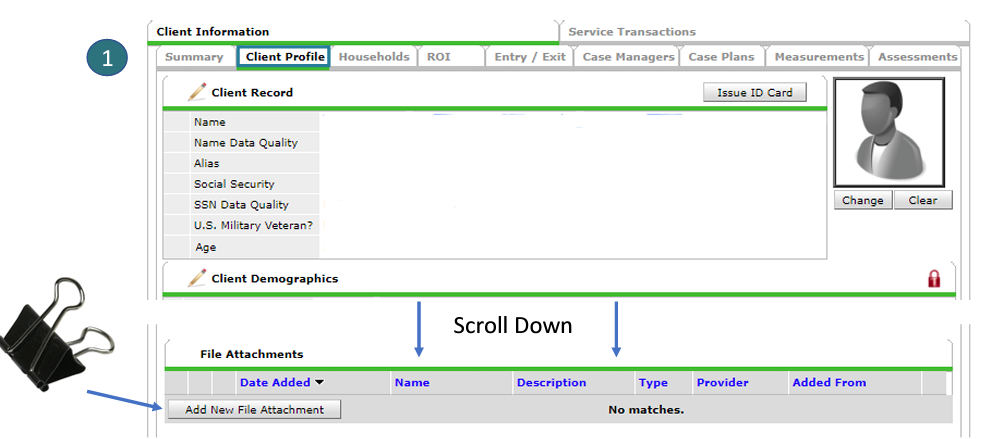
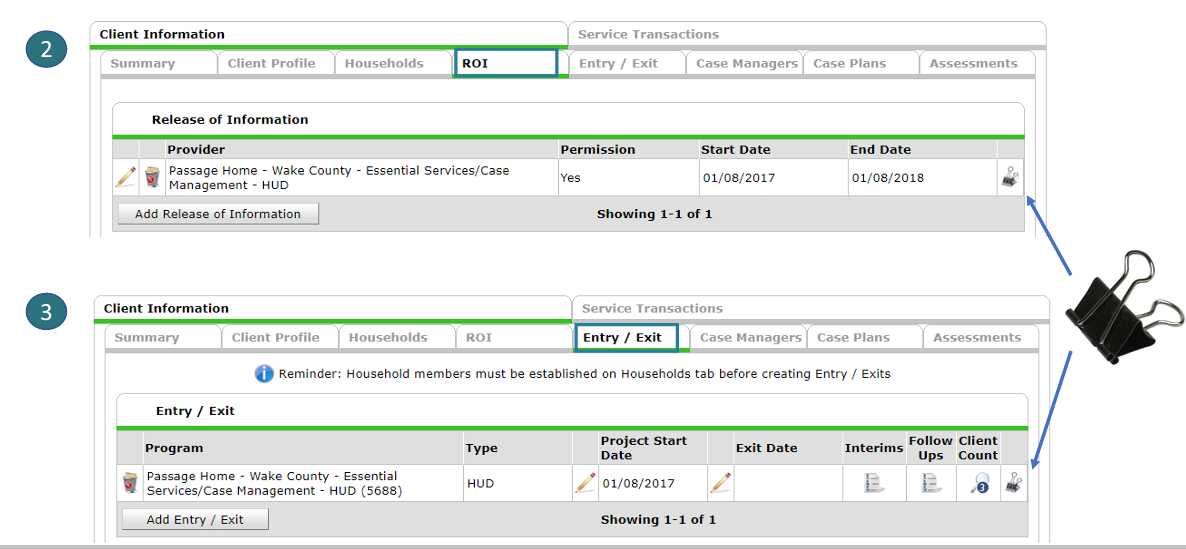
How to Attach Client File Attachments
* Note, 10 MB is the file size limit for attachments. If your file is larger, you will need to break it out into multiple, smaller attachments.
1. If uploading to the ROI or Entry/Exit tab, click the clip icon.
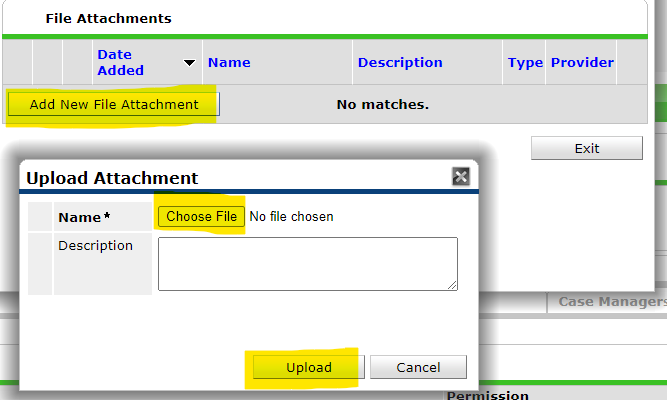
2. Click Add New File Attachment
3. Click Choose File and locate the document to upload. Adding a description is optional.
4. Click Upload
Comments