This article will help projects regularly maintain their bed unit list within ShelterPoint. Projects can: (1) hold a bed (e.g. bed is reserved for a client coming in or a bed is unavailable due to renovations), (2) release a bed, and (3) move clients from one bed to another within a unit list.
This article is only applicable the ShelterPoint module
Transferring client to another bed
Note: Clients can only be moved between beds within the same unit list.
- Select Enter Data As provider
- Click ShelterPoint
- Select correct Unit List and then click Submit
- Click View All
- From the "bed list", click on the client's name

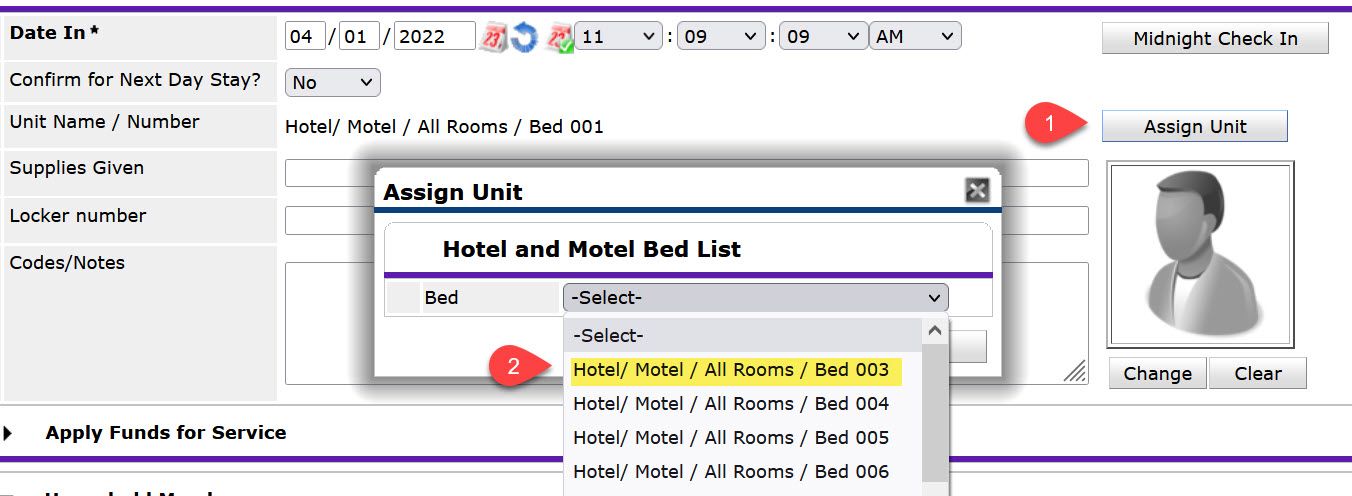
To move the selected client
- Click Assign Unit
- In the dropdown, select the bed the client is being moved to and click Select
To move other household members
-
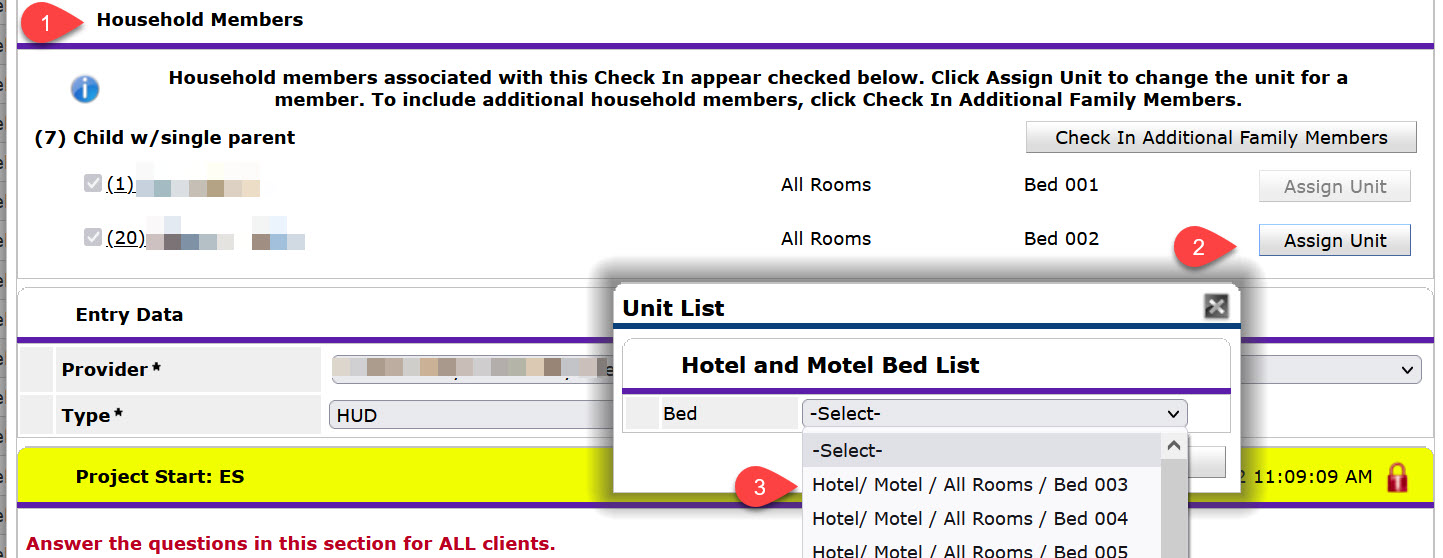
- Scroll down to the "Household Members" table
- Click Assign Unit
- In the dropdown, select the bed the client is being moved to and click Select
- Repeat these steps for each family member, as needed.
Hold a bed
- Select Enter Data As provider
- Click ShelterPoint
- Select correct Unit List and then click Submit
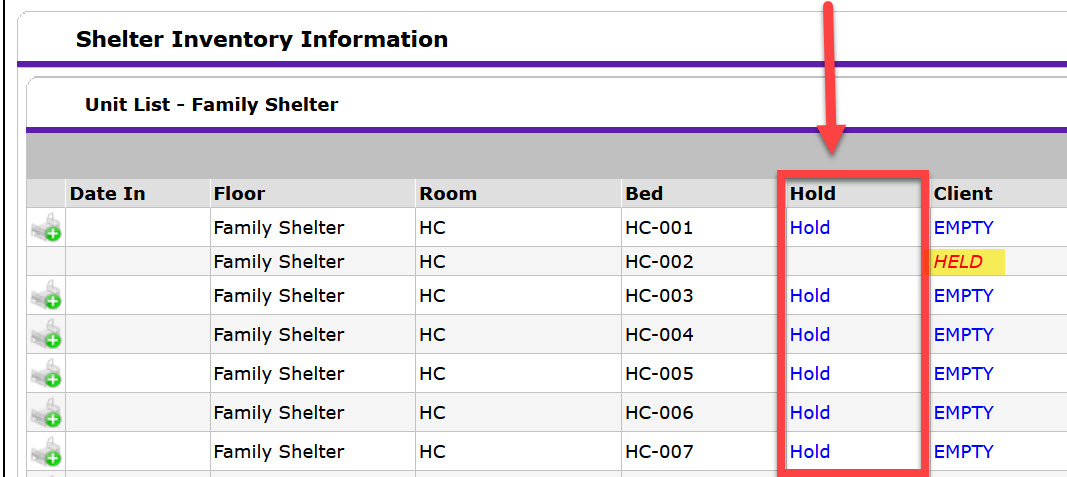
- Click View All
- Click HOLD to hold the bed and make it temporarily unavailable.
Release a bed
- Select Enter Data As provider
- Click ShelterPoint
- Select correct Unit List and then click Submit
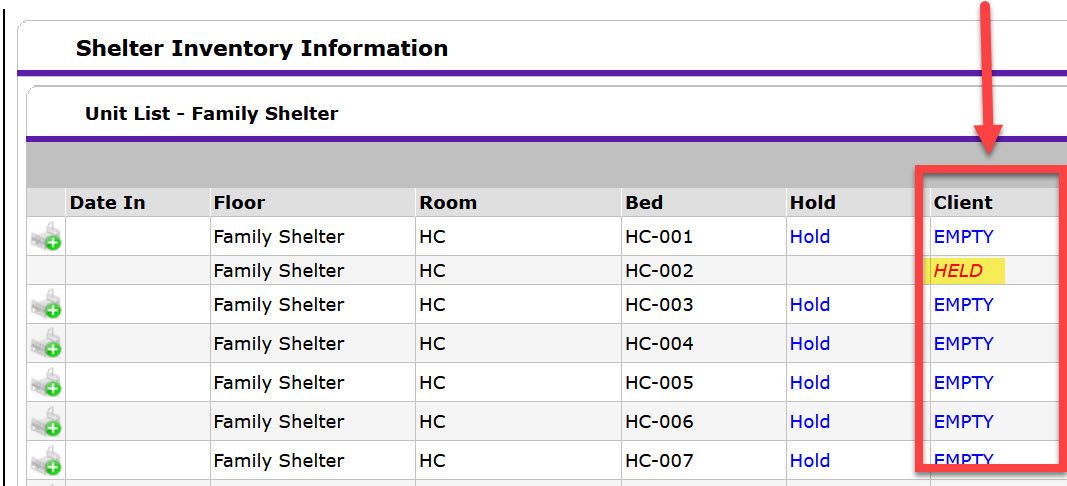
- Click View All
- Click HELD to release the bed and make it available for new check-ins.
Have additional questions about ShelterPoint Unit Lists? Please contact the NCCEH Data Center Helpdesk.
Comments