This article should be used by HMIS users with a BusinessObjects reporting license. It lists the commonly known errors that could be experienced by users.
Common Errors
Platform Not Loading
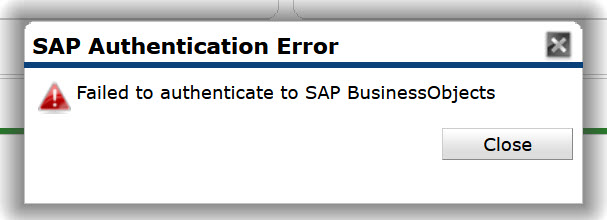
This errors occurs when BusinessObjects does not load for licensed users who changed their password since the refresh. Passwords prompted to be updated from time-to-time by the system. When this occurs, BusinessObjects will be unavailable to the user until the following refresh day.
System Not Connecting
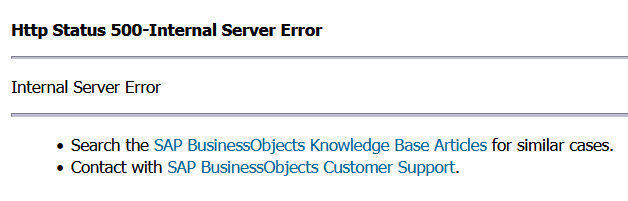
One common error working in BusinessObjects is "Http Status 500-Internal Server Error". This error occurs when BusinessObjects does not connect or load properly. Follow the below steps to self-resolve:
- Confirm your username password was not changed today.
- If the password was reset today, you will not be able to access BusinessObjects until tomorrow.
- If the password was not reset today, go to step 2.
- Close the error window and attempt to click on the BusinessObjects button again. If it does not load, go to step 3
- Close the error window, log out of HMIS@NCCEH, and shut down all open webbrowser tabs. Relog into the system and click on the BusinessObjects button again. If it does not load, go to step 4
- Email the NCCEH Data Center helpdesk
Scheduling Report As Webintelligence
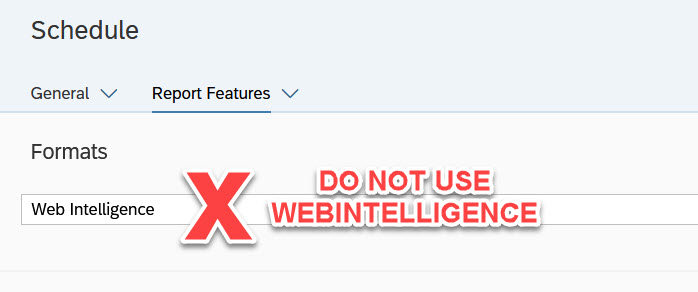
When scheduling reports, "Web Intelligence" format should not be selected. Reports which are formatted with Web Intelligence and sent to the user's BI Inbox will erase all entered prompt details. When the report is opened, the user will have to re-enter all prompt details and use the report similar to the "view mode" of BusinessObjects. Formatting in Excel-Reporting or PDF is the recommended method!
BI Inbox & Instances Folder - Autodelete
While not a system or user error, it is important to note that scheduled reports within the BI Inbox folder are automatically deleted after 365 days; those in the Instances folder are automatically deleted after 60 days. Users should take caution and download any historical reports prior to the time limit within each folder.
Temporary Issues (to be resolved in 2022)
- XML Input Forms Element Error on reports with input controls, such as the 0640
ARE YOU LOOKING FOR MORE RESOURCES? BELOW ARE SOME SUGGESTED RELATED ARTICLES!
How to View BusinessObjects Reports
Comments